GPU pricing / Commercial investigation
H100 Quote Checklist: What to Ask Before Choosing GPU Cloud
Short answer: An H100 quote is worth comparing only after the provider exposes the GPU shape, minimum rental window, storage, data transfer, capacity model, retry risk, and support terms.
- Pick the quote with the best useful GPU-hour economics, not the lowest visible H100 hourly rate.
- Verify current provider pricing directly before buying or migrating.
Right fit
- You have at least one H100, A100, L40S, or similar accelerator quote.
- The advertised hourly rate looks cheap, but the total job cost is unclear.
- The workload may be affected by queue time, failed jobs, storage, or egress.
Quick checks
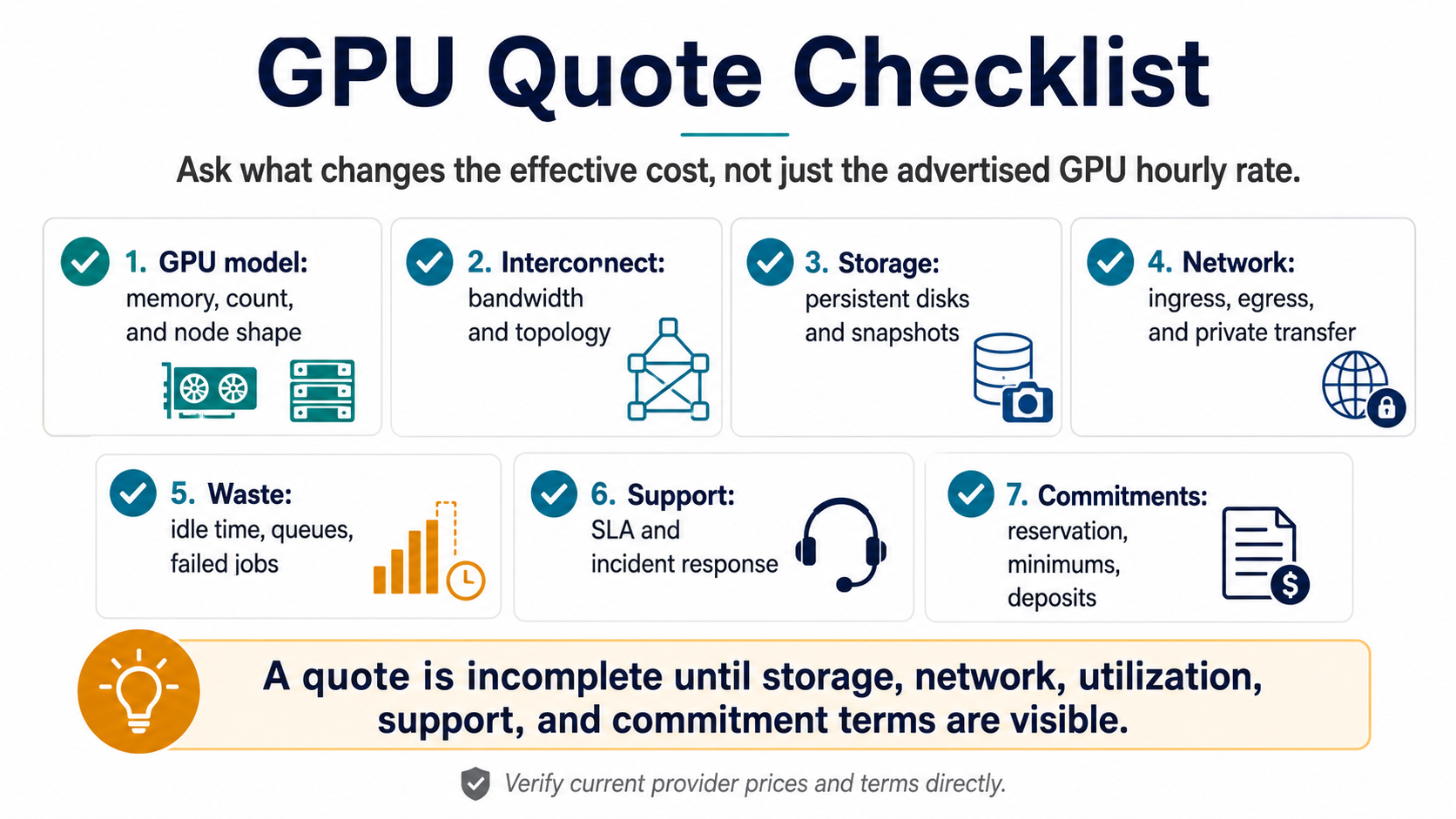
- Ask whether persistent storage, snapshots, and data transfer are included.
- Ask what happens when capacity is unavailable at the required start time.
- Ask whether failed jobs, retries, and checkpoint restores create extra billable hours.
- Ask which support tier owns provisioning or incident response.
Rough math
- Useful GPU-hour cost = listed GPU hourly rate / expected utilization.
- Estimated training run = GPU rate x GPU count x runtime + storage + transfer + retry allowance.
- Monthly inference cost = baseline GPU hours + burst hours + storage + observability + support.
Red flags
- The quote shows GPU price but not storage or network terms.
- The provider cannot explain capacity availability for your region or window.
- The workload requires managed operations but the quote assumes self-service infrastructure.
What to do next
- Collect one real quote or bill line.
- Use the GPU cloud quote checklist to normalize the fields.
- Run the placement quiz once the workload shape and data path are known.
Quality guide
How to use this decision page
RunPlacement pages use public provider documentation, source-linked pricing pages where relevant, estimate-labeled examples, and practical decision frameworks. Estimates are directional and should be verified against provider pricing pages before buying or migrating.
Who this is for
- AI teams asking providers for H100 or other GPU cloud quotes.
- Founders comparing GPU offers before committing to minimums or reservations.
- Engineers who need a vendor email that covers more than hourly rate.
How to use it
- Send the checklist fields to every provider so quotes are comparable.
- Ask for storage, network, support, reservation, and capacity terms before ranking offers.
- Use useful GPU-hour examples when a provider quote hides idle time, queueing, or failed jobs.
Common mistakes
- Comparing quotes that omit storage, transfer, support, or minimum rental windows.
- Assuming a GPU model name means equivalent node shape, interconnect, availability, or reliability.
- Signing a commitment before checking whether the workload is steady enough to use it.
When it does not apply
- Use benchmarking for exact model throughput.
- Use legal review for contract language, credits, and liability.
- Use provider pricing pages for current public rates.
Worked examples and scenarios
Incomplete quote
GPU hourly rate only, no storage, network, support, minimums, or availability terms. This quote cannot be compared safely.
Complete quote
GPU model, node shape, storage, egress, support, SLA, reservation terms, and failure/retry assumptions. This quote can be mapped to useful GPU-hour cost.
Procurement email
Ask each provider the same questions: GPU count and memory, interconnect, storage persistence, network transfer, queue behavior, support response, and commitment terms.
RunPlacement quiz
Pressure-test this workload
Pick the quote with the best useful GPU-hour economics, not the lowest visible H100 hourly rate.
Uses workload type, budget, GPU need, data movement, priority, and ops tolerance.Related resources
Use a worksheet before making the call
These supporting pages turn the decision into fields a buyer, engineer, or founder can actually compare.
A practical checklist and visual worksheet for comparing GPU cloud quotes beyond the advertised hourly rate.
Workload placementWorkload Placement WorksheetChecklist / 7 sections / source-linkedA practical worksheet and decision map for deciding where a workload should run before provider choice hardens.
Related decisions
Keep narrowing the placement question
Follow the adjacent pages when the first answer exposes a deeper cost driver or operating constraint.
GPU cloud idle cost is the gap between paid accelerator time and useful workload progress. It matters most for training retries, batch queues, and inference fleets with low baseline utilization.
GPU pricingRunPod vs Lambda GPU Cloud: How to Compare the FitProvider comparisonRunPod vs Lambda is less about one universal winner and more about workload fit. Compare GPU availability, storage behavior, operational model, support needs, and total job cost for your actual workload.
GPU pricingCoreWeave vs AWS GPU Cloud: When Specialized GPU Cloud FitsProvider comparisonCoreWeave vs AWS is a category decision first. Specialized GPU cloud can fit GPU-heavy work, while AWS can fit teams that need broader cloud services, existing controls, or tighter integration with current infrastructure.
AI inference cost
When the GPU question is really serving cost
Use these pages when the same GPU quote, idle-cost, or useful GPU-hour question is about production inference rather than one-off training.
Framework
Use the underlying decision model
These framework pages define the terms and formulas behind this specific decision.
Useful GPU-hour cost is the better comparison unit when GPU providers differ in utilization, queueing, reliability, storage behavior, or operational model.
Workload placementWorkload Placement Frameworkworkload placementChoose workload placement by matching the workload's cost driver, data movement, performance needs, operational tolerance, and commitment horizon to the right infrastructure category.
Worked examplesUseful GPU-Hour ExamplesHypothetical GPU cost scenariosFive labeled examples showing how retries, idle time, data staging, and utilization can change effective GPU cost.
FAQ
What is the biggest H100 quote mistake?
The biggest H100 quote mistake is comparing hourly rates before checking useful GPU-hours, data movement, storage, capacity reliability, support, and operational responsibility. A lower listed rate can lose if jobs queue, retry, fail, or require more team time than the quote makes visible.
Is the cheapest H100 cloud usually the best choice?
The cheapest H100 cloud is not automatically the best choice. It can be a poor fit if capacity is unreliable, data transfer is expensive, storage terms are unclear, support is thin, or failed jobs create extra billable time. Compare total job cost and completion risk.
What should I ask before signing a GPU cloud quote?
Before signing a GPU cloud quote, ask what the rate includes, how storage and transfer are billed, how capacity is reserved, and what happens during failed jobs or shortages. Also ask about minimums, support, monitoring, egress, and the lowest-friction exit path.
Sources
RunPlacement quiz
Pressure-test this workload
Pick the quote with the best useful GPU-hour economics, not the lowest visible H100 hourly rate.
Uses workload type, budget, GPU need, data movement, priority, and ops tolerance.